

In UX design, color is more than a decorative feature—it’s a critical tool for shaping user perceptions, evoking emotions, and guiding behavior. From the calmness of a soft blue interface to the urgency of a bold red button, colors have a profound impact on how users interact with digital interfaces.

Research reveals that users form their first impression of a website or app within 50 milliseconds, and color plays a significant role in that split-second judgment. The right color choices can enhance usability, establish trust, and even drive conversions.
This article delves into the science behind color psychology, its impact on user behavior, and how designers can use it to create intuitive, engaging experiences.
The Science of Color Psychology in UX Design
Color psychology explores how different hues influence human emotions and behavior. For UX designers, this knowledge is a valuable asset for crafting interfaces that resonate with users.
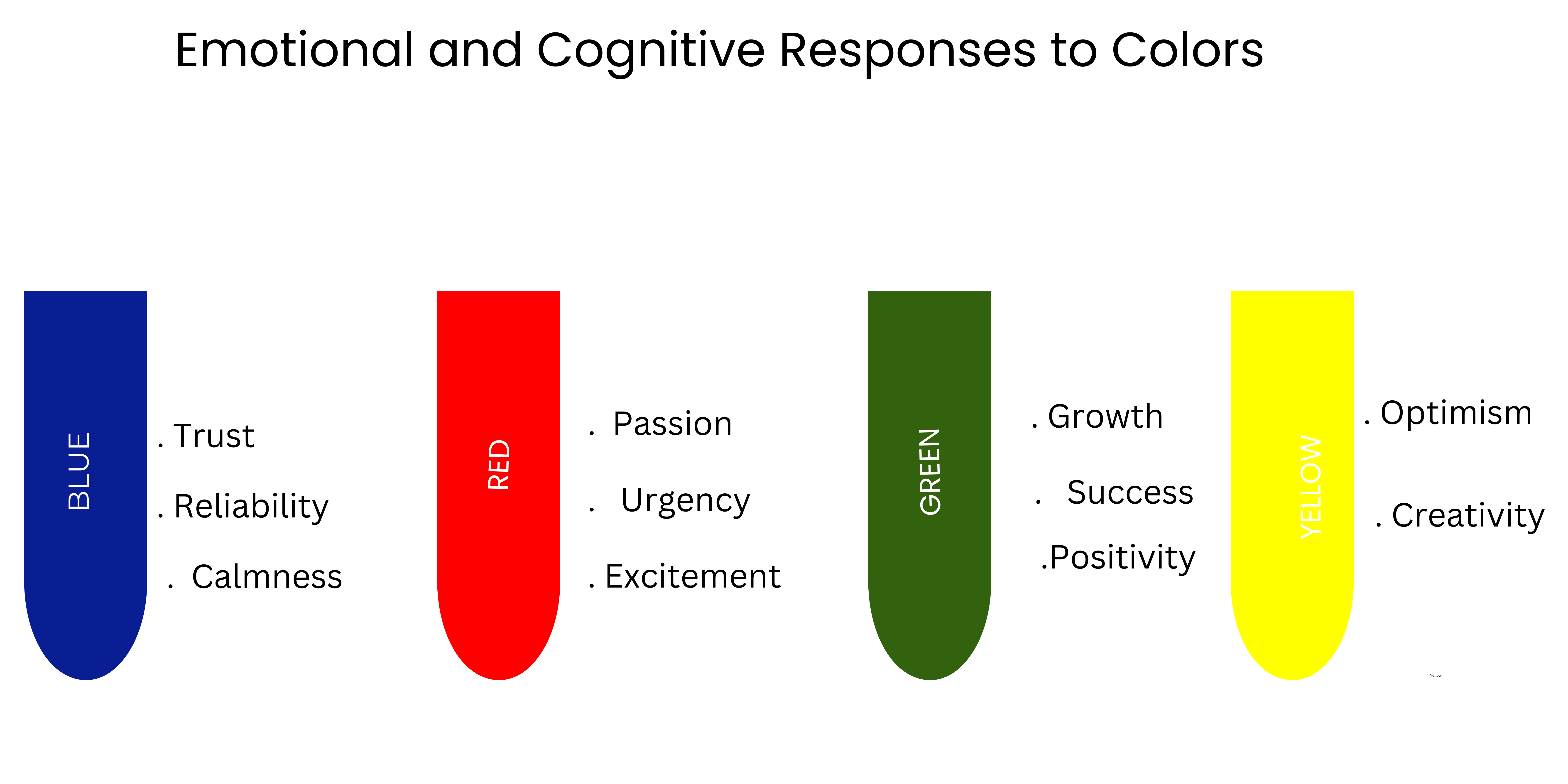
Each color elicits specific emotional and cognitive responses.
- Blue: Trust, reliability, and calmness. A favorite for financial and tech companies like Facebook and PayPal.
- Red: Passion, urgency, and excitement. Often used for call-to-action buttons and sales banners.
- Green: Growth, success, and positivity. Frequently seen in “Add to Cart” or “Proceed to Checkout” buttons in e-commerce.
- Yellow: Optimism and creativity. However, overuse can lead to feelings of anxiety or distraction.
Warm vs. Cool Colors: A Psychological Perspective
Understanding the difference between warm and cool colors is essential in UX design:
- Warm Colors: Red, orange, and yellow evoke energy, warmth, and urgency. They are ideal for grabbing attention or creating excitement.
- Cool Colors: Blue, green, and purple create a sense of calmness and trust. These are perfect for interfaces where comfort and reliability are key.
By strategically balancing warm and cool colors, designers can craft experiences that guide users toward desired actions without overwhelming them
How Colors Affect User Emotions and Behavior in UX Design
Color isn’t just about aesthetics—it directly influences how users feel and act while navigating an interface. Studies have shown that 92.6% of consumers prioritize visual appeal over other factors when making decisions, and color accounts for a significant portion of that appeal.
Examples of Color Influencing Behavior
- Call-to-Action Buttons:
- Red buttons evoke urgency, encouraging immediate action.
- Green buttons signify success, often associated with positive outcomes.
- Error Messages:
- Red is commonly used to indicate warnings or errors because it triggers a sense of alertness.
- Trust and Reliability:
- Blue is a staple in industries like finance and healthcare, where trust is paramount.
These emotional triggers can guide users through an interface seamlessly, making it easier for them to complete tasks or engage with content.
Color and Brand Identity
A brand’s color palette is one of its most recognizable elements. From Coca-Cola’s vibrant red to Apple’s sleek black, color is central to establishing a strong brand identity.
Why Color Matters for Branding
- Recognition: Consistent use of color increases brand recognition by 80%, according to studies.
- Emotional Connection: Colors create an emotional bond with users, aligning the brand with specific values or feelings.
For example:
- Green: Used by brands like Spotify and Starbucks to symbolize growth, freshness, and creativity.
- Red: Coca-Cola’s red conveys energy, passion, and excitement.
- Black: Apple’s minimalist black emphasizes sophistication and innovation.
Designing a Brand-Aligned Color Palette
When crafting a color palette, designers should consider:
- Primary Colors: Reflect the brand’s personality and core message.
- Secondary Colors: Provide variety while complementing the primary colors.
- Accent Colors: Draw attention to specific elements, such as buttons or headlines.
A well-thought-out color scheme not only strengthens the brand but also creates a more enjoyable and cohesive user experience.
Using Color to Improve UX and Conversion Rates
Color can significantly influence a user’s journey through a website or app. By leveraging color psychology, designers can improve conversion rates, reduce bounce rates, and boost overall satisfaction.
Color’s Role in E-Commerce UX
- Call-to-Action Buttons:
- Green and orange buttons have been shown to perform well, as they evoke positive feelings and motivate action.
- Highlighting Discounts:
- Bright colors like red or yellow are effective for showcasing limited-time offers or sales.
- Guiding Navigation:
- Using consistent color coding for menus, links, and buttons enhances usability
Psychological Effects of Color in User Interface Design
Colors can subtly influence user decisions. For instance:
- Warm Colors: Encourage users to act quickly, making them ideal for flash sales or urgent promotions.
- Cool Colors: Help users feel at ease, promoting longer engagement with the interface.
The Impact of Color on Accessibility
Accessibility is a crucial consideration in UX design. Color contrast and inclusivity ensure that digital experiences are usable for everyone, including people with visual impairments or color blindness.
Best Practices for Accessible Color Choices
- Contrast Ratios: Ensure sufficient contrast between text and background colors to enhance readability.
- Avoiding Color Dependence: Don’t rely solely on color to convey meaning. Use icons or text labels alongside colors.
- Testing for Accessibility: Use tools like the Web Content Accessibility Guidelines (WCAG) contrast checker to evaluate your color choices.
By prioritizing accessibility, designers create interfaces that are not only inclusive but also more effective at meeting user needs.
Color Theory in Action: Real-World Examples
Example 1: Spotify
Spotify’s green logo and interface symbolize growth and creativity, aligning with its mission to connect users with endless musical possibilities.
Example 2: Airbnb
Airbnb’s soft pink and white color palette creates a sense of warmth and community, reinforcing its brand values of hospitality and belonging.
Example 3: Amazon
Amazon strategically uses orange for its “Buy Now” button to evoke energy and urgency, encouraging immediate purchases.
These examples highlight how color choices can elevate a brand and enhance user experiences.
Key Takeaways for UX Designers
- Leverage Color Psychology: Use colors to evoke emotions and guide user behavior strategically.
- Align Colors with Brand Identity: Ensure your color palette reflects your brand’s values and resonates with your audience.
- Prioritize Accessibility: Design interfaces that are inclusive and functional for all users.
- Test and Optimize: Continuously test color choices to identify what works best for your audience.
By applying these principles, UX designers can create more engaging, intuitive, and impactful digital experiences.
Conclusion: Elevate Your UX Design with Color Psychology
Color isn’t just a design element; it’s a powerful storytelling tool that influences how users perceive and interact with digital products. From establishing trust to driving conversions, thoughtful color choices can make or break a user’s experience.
If you’re ready to take your UX design to the next level, let us help you create intuitive, visually stunning interfaces that connect with users on a deeper level. Explore our services and start transforming your designs today!